

 Ask AI


Changing employee password
Choose an assistant. It opens with a ready-made question, reads this article and answers your questions.
Open in ChatGPT (opens in a new tab) Open in Claude (opens in a new tab) Open in Perplexity (opens in a new tab) Open in Gemini (opens in a new tab) Open in Grok (opens in a new tab) View as MarkdownChoose an assistant. It opens with a ready-made question, reads this article and answers your questions.
Open in ChatGPT (opens in a new tab) Open in Claude (opens in a new tab) Open in Perplexity (opens in a new tab) Open in Gemini (opens in a new tab) Open in Grok (opens in a new tab) View as MarkdownOn this page
On this page
Web Application
Introduction
Data security and access to our system are crucial for the smooth operation of the team. Regularly updating employee passwords is essential for protecting information and ensuring the security of each user's account.
Instructions
Go to the Management tab -> Employees.
Click on the employee whose data you want to edit.
The employee edit form will appear on the screen, consisting of 6 tabs: Data, Permissions, Settings, Security, Devices, and Activity.
Go to the Security tab.
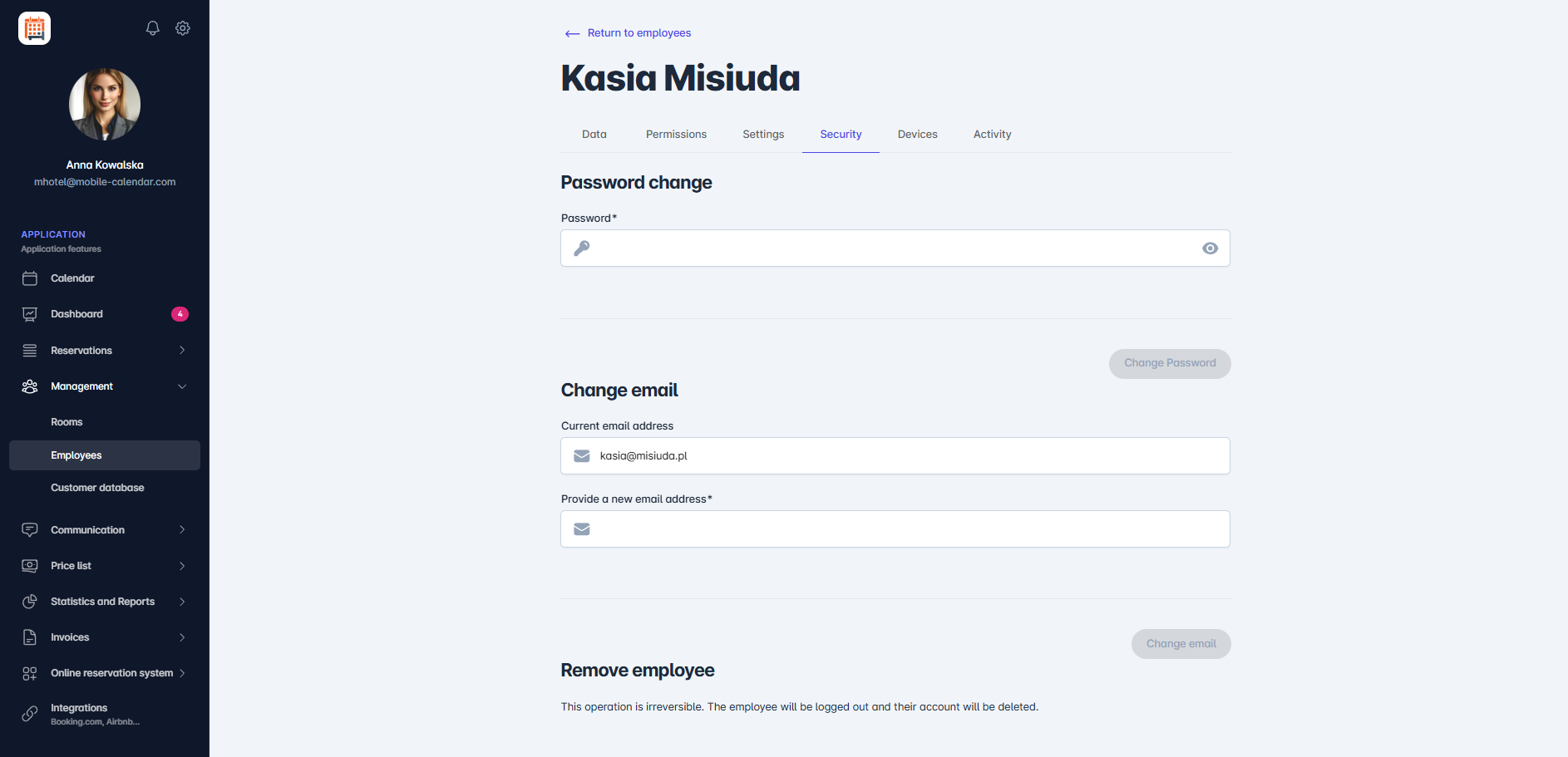
Change employee password In the Password field, enter the new password.
Click the Change Password button.
- A confirmation message regarding the password change will appear in the center of the screen.
- Click the Change Password button.
- A confirmation message regarding the password change will appear in the center of the screen.
The password has been changed.

Mobile Application
Introduction
You can change an employee’s password on the Security card in their form, for example, if they have forgotten it.
Instructions
In the bottom menu, go to the More tab.
Go to Management -> Employees.
Tap the employee in the list.
Tap the Security card, then Password change.

Enter a new password in the Password field. It must contain at least 12 characters, uppercase and lowercase letters, a number, and a special character.
Tap the Change Password button.

In the "Password change" window, tap the Change Password button.
The employee will log in with the new password.
Was this article helpful?
Ask AI about this article
Choose an assistant. It opens with a ready-made question, reads this article and answers your questions.
Ask AI about this article
Choose an assistant. It opens with a ready-made question, reads this article and answers your questions.