

 Ask AI


Employee List
Choose an assistant. It opens with a ready-made question, reads this article and answers your questions.
Open in ChatGPT (opens in a new tab) Open in Claude (opens in a new tab) Open in Perplexity (opens in a new tab) Open in Gemini (opens in a new tab) Open in Grok (opens in a new tab) View as MarkdownChoose an assistant. It opens with a ready-made question, reads this article and answers your questions.
Open in ChatGPT (opens in a new tab) Open in Claude (opens in a new tab) Open in Perplexity (opens in a new tab) Open in Gemini (opens in a new tab) Open in Grok (opens in a new tab) View as MarkdownOn this page
On this page
Web Application
Introduction
In the Employees tab, you will find all the employees added to the system. You can use the search function to quickly locate a specific employee.
Instructions
Go to the Management -> Employees tab.
A list of all added employees will appear on the screen.
- If you want to search for an employee, click in the Search field and type at least one letter or digit, and the system will automatically start searching for first names, last names, or email addresses.
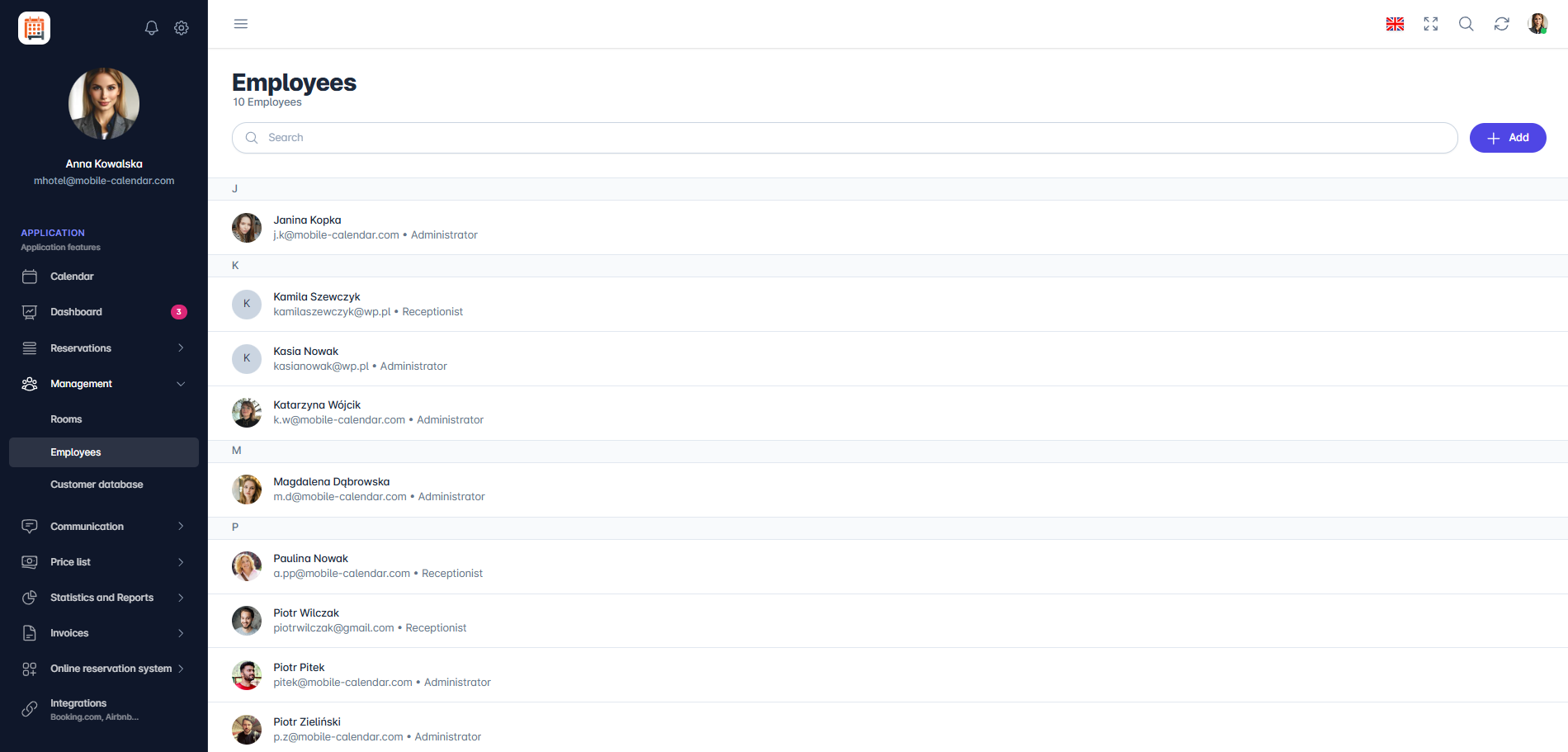
Employee List

Mobile Application
Introduction
On the Employees screen, you'll find all employee accounts. Each one shows the employee's first and last name, email address, and job position.
Instructions
In the bottom menu, go to the More tab.
Go to Management -> Employees.
A list of employees, sorted by last name, will appear. Tap an employee to open their form.

Search for an employee
Tap the Magnifying glass icon in the top-right corner.
In the Search employees... field, enter a first name, last name, email address, or job position. The list will narrow as you type.
Was this article helpful?
Ask AI about this article
Choose an assistant. It opens with a ready-made question, reads this article and answers your questions.
Ask AI about this article
Choose an assistant. It opens with a ready-made question, reads this article and answers your questions.