

 Ask AI


Editing client
Choose an assistant. It opens with a ready-made question, reads this article and answers your questions.
Open in ChatGPT (opens in a new tab) Open in Claude (opens in a new tab) Open in Perplexity (opens in a new tab) Open in Gemini (opens in a new tab) Open in Grok (opens in a new tab) View as MarkdownChoose an assistant. It opens with a ready-made question, reads this article and answers your questions.
Open in ChatGPT (opens in a new tab) Open in Claude (opens in a new tab) Open in Perplexity (opens in a new tab) Open in Gemini (opens in a new tab) Open in Grok (opens in a new tab) View as MarkdownOn this page
On this page
Web Application
Introduction
Editing a client allows for the updating of existing information in the database. With this option, you can adjust client data to current needs, correct errors, or add new information. Efficient management of client data enables you to maintain its accuracy and correctness, which is crucial in building positive business relationships.
Instructions
Go to the Management tab -> Client Database.
Select the client you wish to edit from the list.
Click on the notepad icon (Details column).
An editing form will appear on the right side of the screen. The form consists of 2 tabs: Client, Reservations.
Edit the selected fields.
In the lower right corner of the form, click the Save Changes button.
The client data has been updated.
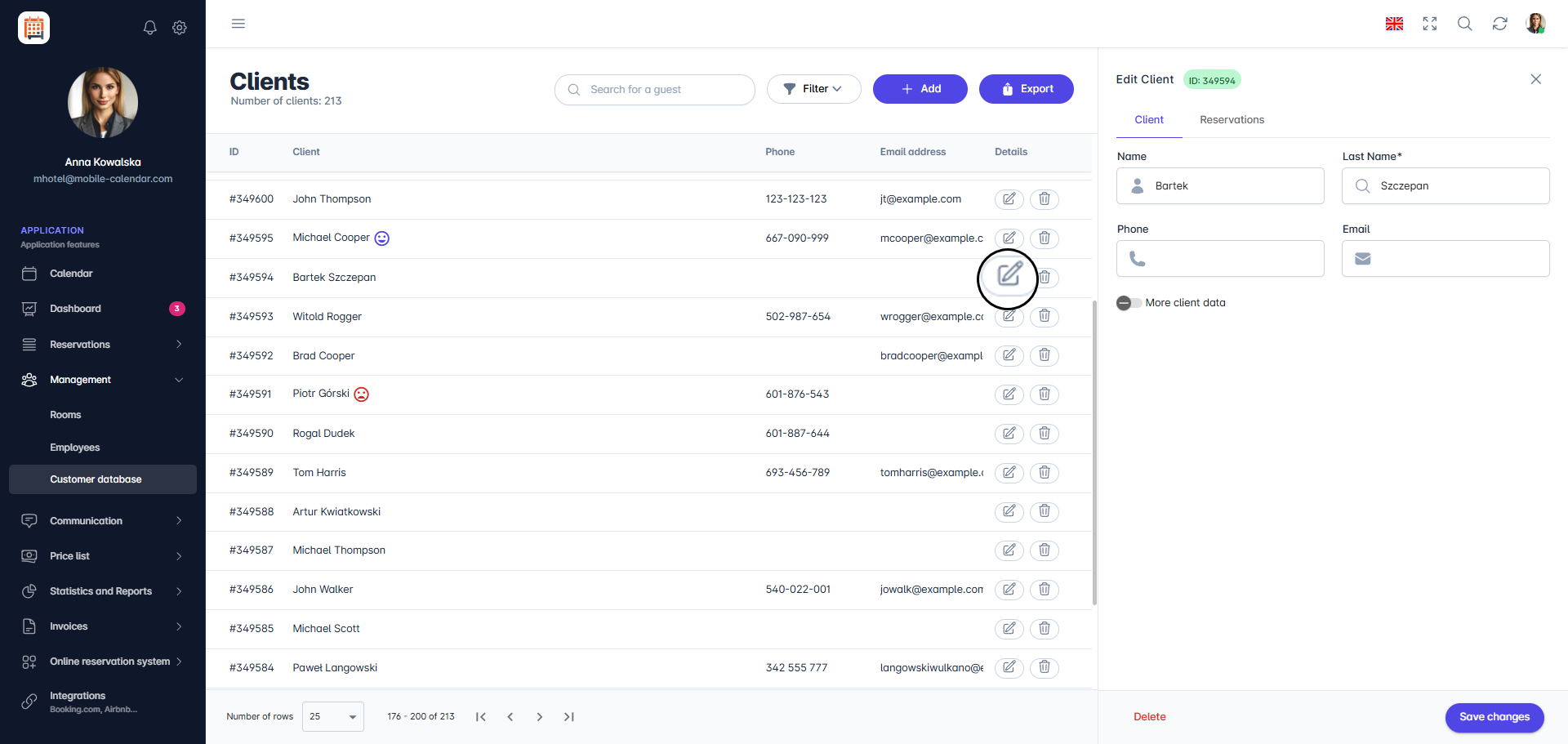
Client editing from the client database view

Mobile Application
Introduction
You can change a client's details on their card in the Client Database. You can also find their reservations and change history there.
Instructions
In the bottom menu, go to the More tab.
Go to Management -> Clients.
Tap the client in the list.
The Client card will appear on the screen. Change the selected fields. To see the remaining details, tap More client data.
Tap the Save button.

- The client's details will be updated, and the client list will appear on the screen.
Client reservations
On the client card, tap Reservations.
A list of this client's reservations will appear on the screen. Tap Edit to open the selected reservation.

Client history
On the client card, tap History.
A list of changes relating to the client and their reservations will appear on the screen.
Was this article helpful?
Ask AI about this article
Choose an assistant. It opens with a ready-made question, reads this article and answers your questions.
Ask AI about this article
Choose an assistant. It opens with a ready-made question, reads this article and answers your questions.