

 Ask AI


Mobi: Automatic Credit Top-Ups
Choose an assistant. It opens with a ready-made question, reads this article and answers your questions.
Open in ChatGPT (opens in a new tab) Open in Claude (opens in a new tab) Open in Perplexity (opens in a new tab) Open in Gemini (opens in a new tab) Open in Grok (opens in a new tab) View as MarkdownChoose an assistant. It opens with a ready-made question, reads this article and answers your questions.
Open in ChatGPT (opens in a new tab) Open in Claude (opens in a new tab) Open in Perplexity (opens in a new tab) Open in Gemini (opens in a new tab) Open in Grok (opens in a new tab) View as MarkdownOn this page
Web Application
Introduction
Automatic top-ups purchase AI credits when your balance starts running low. This lets you use Mobi without interruptions. You set the balance threshold, the package to top up, and the monthly spending limit.
Instructions
In the bottom-right corner of the screen, click the Mobi AI icon.
In the Mobi window, next to the Mobi name, click the indicator showing the percentage of credits used.
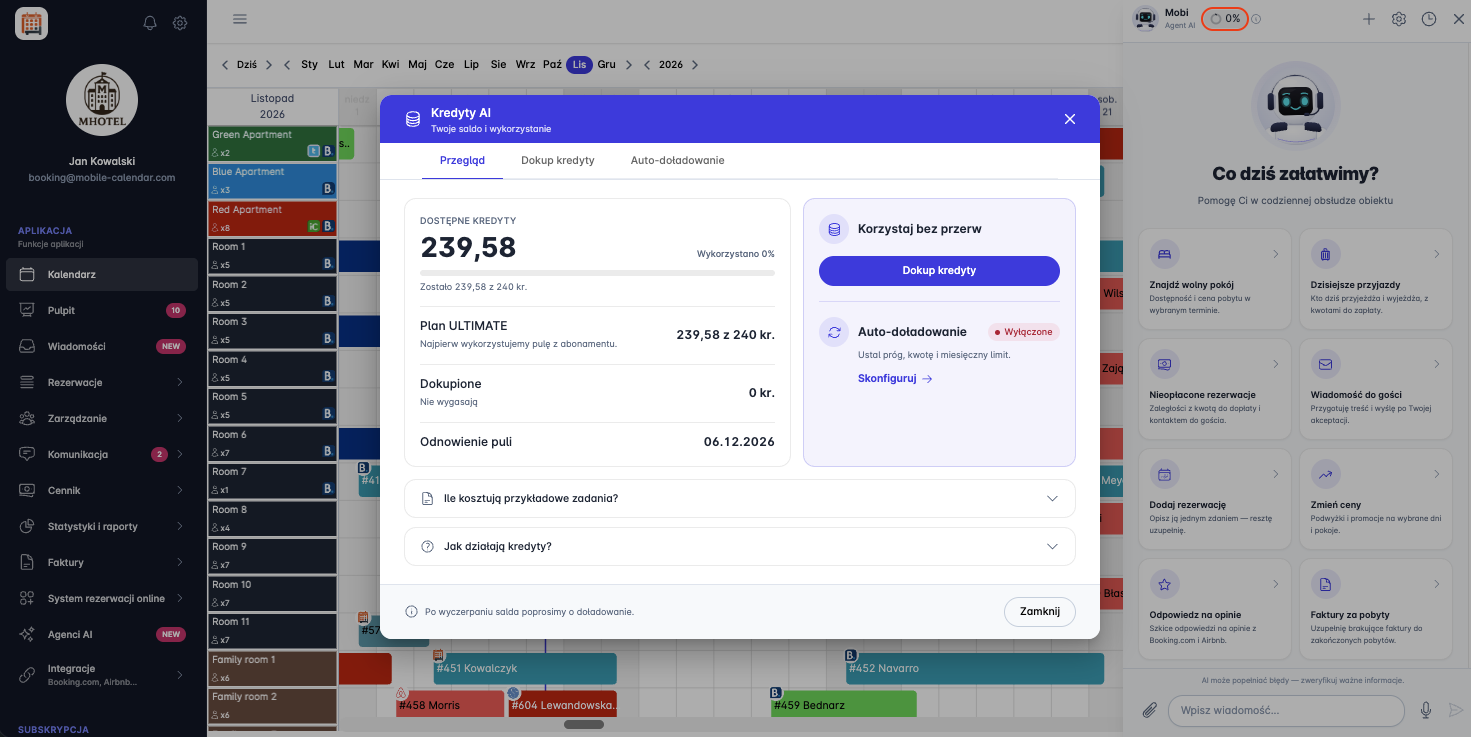
The "AI Credits" window will appear. Click the Automatic top-up tab or, on the Overview tab, click Configure.
Turn on the Automatic top-up toggle.
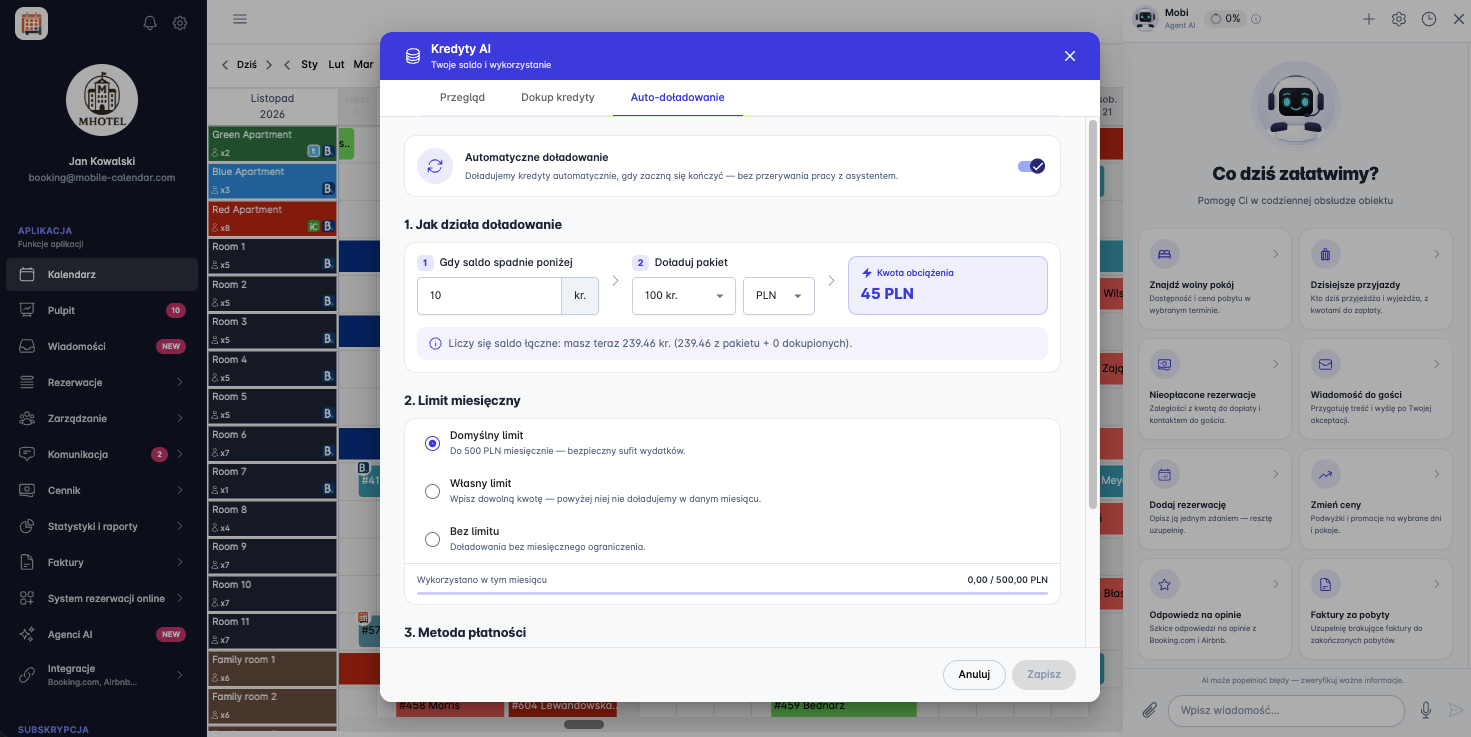
In the "1. How top-ups work" section:
In the When balance falls below field, enter the number of credits at which a top-up will be made.
In the Top up package field, select a credit package and currency.
In the Charge amount field, you can see how much you will pay for one top-up.
In the "2. Monthly limit" section, select one of the options:
Default limit, which allows top-ups of up to 500 PLN per month,
Custom limit, which is the amount you enter and above which no top-ups will be made in that month,
No limit, which allows top-ups without a monthly limit.
Below the limit options, you can see how much you have used this month.
In the "3. Payment method" section, select a payment method or add a card.
Click Save.
Automatic top-ups will be enabled. Their status on the Overview tab will change to enabled.


Mobile Application
Was this article helpful?
Ask AI about this article
Choose an assistant. It opens with a ready-made question, reads this article and answers your questions.
Ask AI about this article
Choose an assistant. It opens with a ready-made question, reads this article and answers your questions.