

 Ask AI


Changing pricing model
Choose an assistant. It opens with a ready-made question, reads this article and answers your questions.
Open in ChatGPT (opens in a new tab) Open in Claude (opens in a new tab) Open in Perplexity (opens in a new tab) Open in Gemini (opens in a new tab) Open in Grok (opens in a new tab) View as MarkdownOn this page
Introduction
Managing pricing models in the hospitality industry is a crucial element of the strategy for attracting different customer groups and maximizing profits. Choosing the right pricing model, such as a price per room regardless of the number of guests or a price depending on the number of guests, allows properties to flexibly adjust their offerings to the specifics of the market and the preferences of travelers.
Instructions
Set the pricing model:
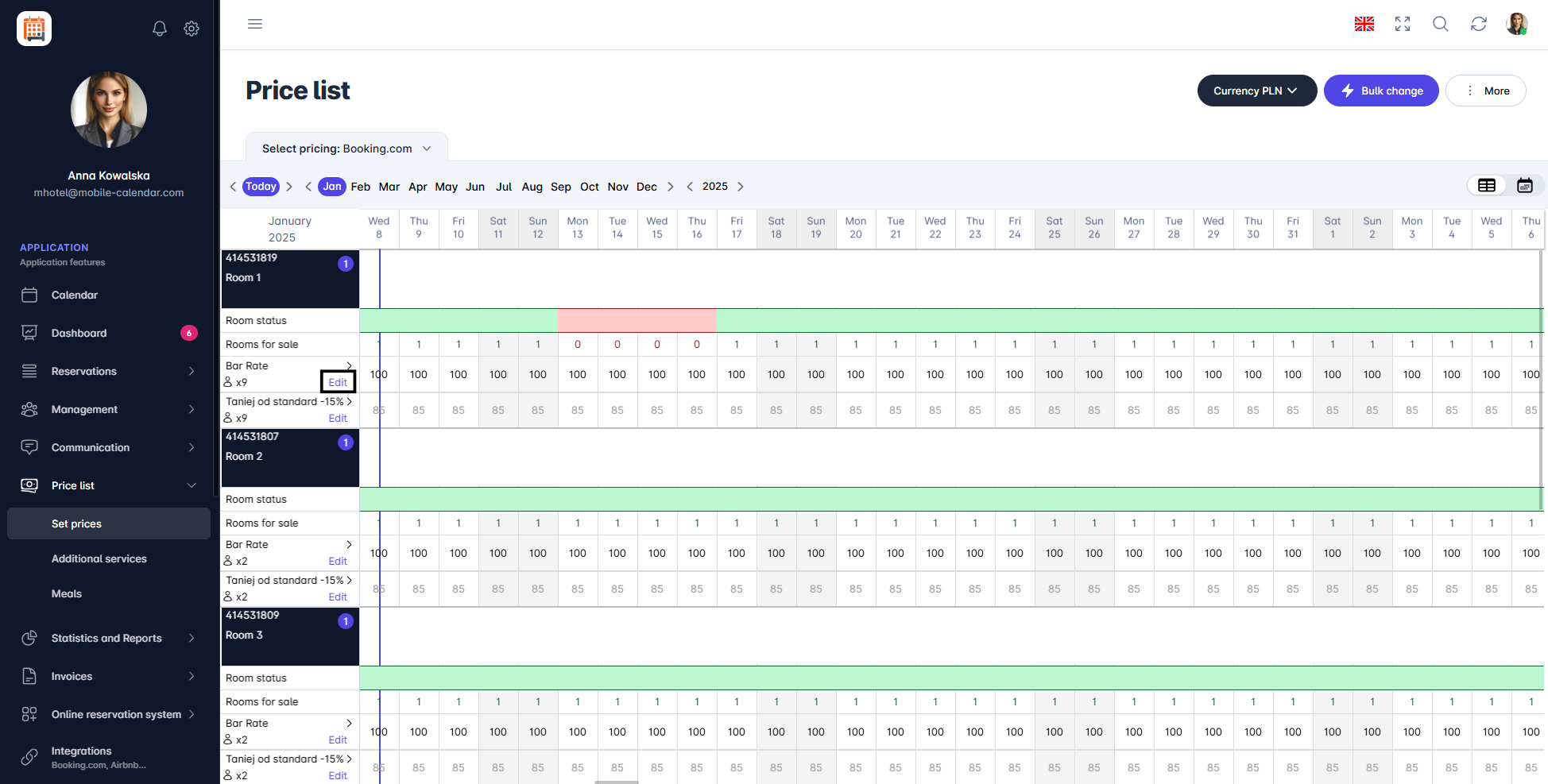
Pricing Model In the pricing plan, click the Edit button.
A form titled "Edit Pricing Model" will appear on the screen.
Choose your preferred pricing model: Price per Room or Price Based on the Number of Guests.
If you choose Price Based on the Number of Guests:
Click on the Base Price field and select from the dropdown list the number of guests that will be considered as the base price (the system will automatically calculate prices based on this number).
- Click on the Slider named "Enabled" to activate a specific guest number variant.
- Set for the selected guest number variants whether the price should be increased + or decreased - from the base price.
- Specify whether the price should change by a specific amount (in this case, choose Currency) or by a percentage (in this case, choose %).
- Enter the value, e.g., 10 (depending on the selected setting: currency or %). This value will be used for calculations based on the base price.
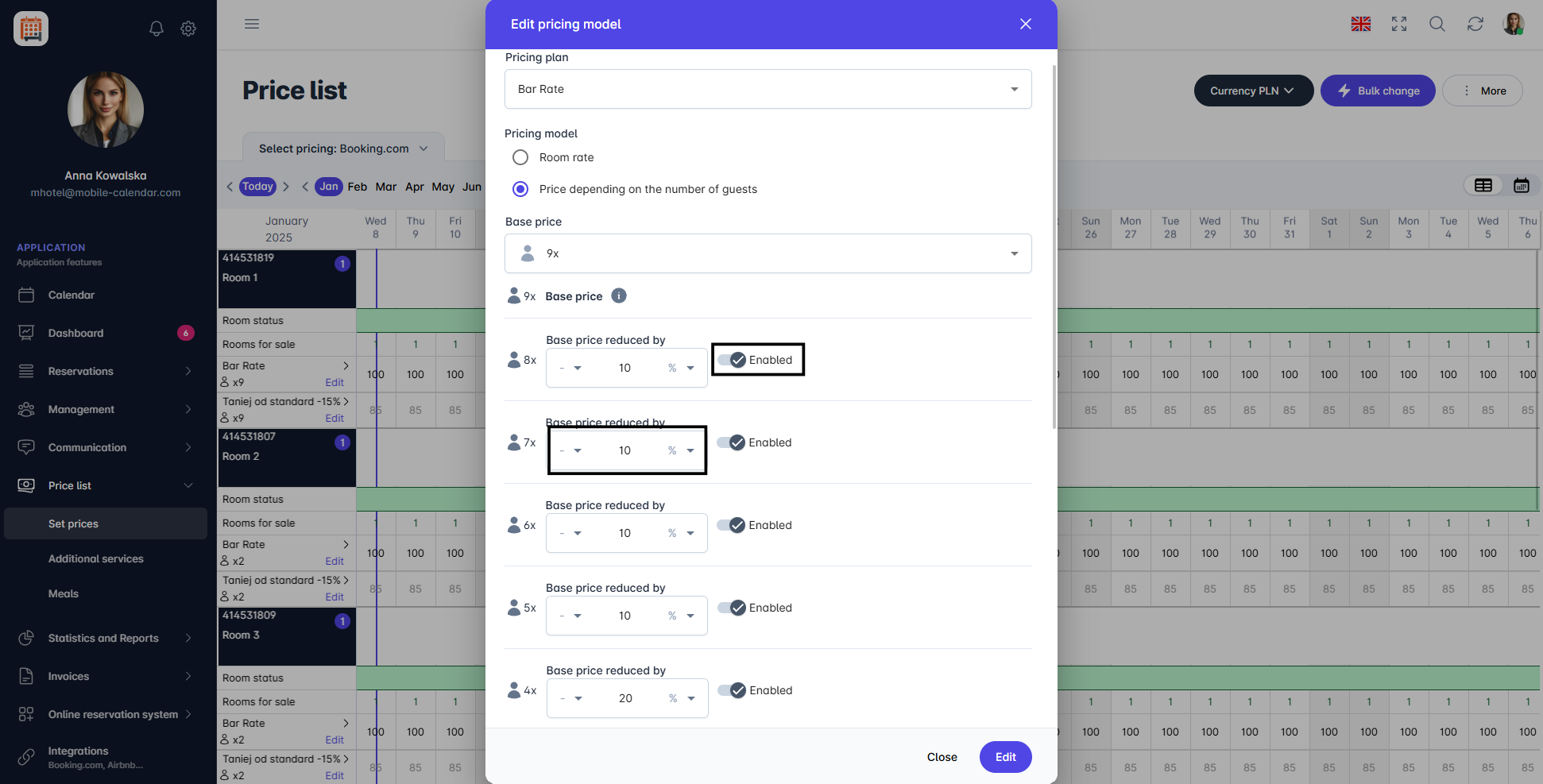
Pricing Model
Add the rooms in which you want to implement pricing models. Check the box next to the name of the room to be updated.
In the bottom right corner, click the Edit button.


Was this article helpful?
Ask AI about this article
Choose an assistant. It opens with a ready-made question, reads this article and answers your questions.