

 Ask AI


Deleting Invoice
Choose an assistant. It opens with a ready-made question, reads this article and answers your questions.
Open in ChatGPT (opens in a new tab) Open in Claude (opens in a new tab) Open in Perplexity (opens in a new tab) Open in Gemini (opens in a new tab) Open in Grok (opens in a new tab) View as MarkdownOn this page
Introduction
Remove outdated or unnecessary invoices from the system to maintain order and transparency in the document database. The deletion function is easy to use and allows for quick disposal of documents that are no longer needed.
However, please ensure that the invoices are indeed unnecessary before deletion to avoid accidentally removing valuable information.
Instructions
Navigate to the Invoices tab -> Invoice List.
Select the invoice you wish to delete from the list.
Click on the Trash icon (in the Details column).
A confirmation message for deleting the invoice will appear in the middle of the screen.
Click the Yes button.
The invoice will be deleted.
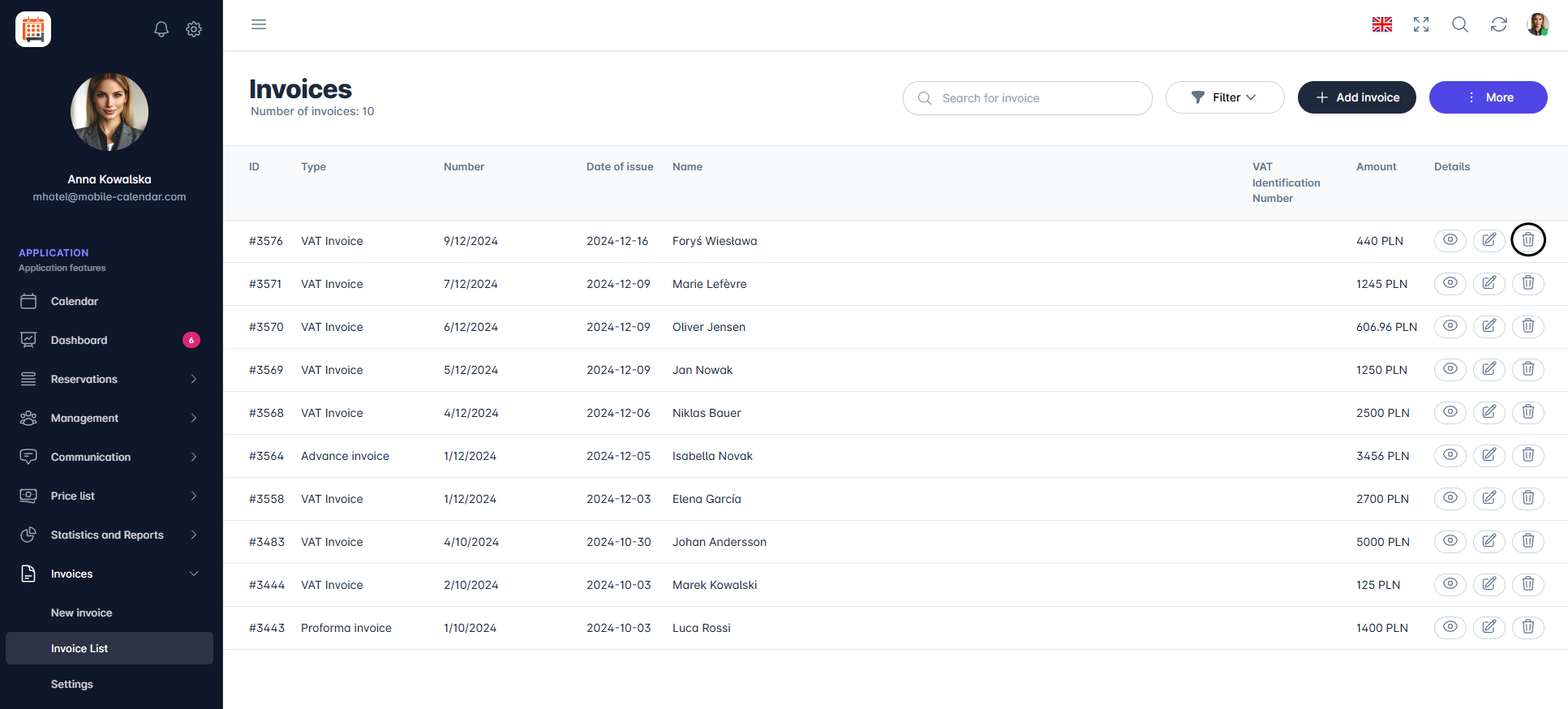
Deleting invoices

Was this article helpful?
Ask AI about this article
Choose an assistant. It opens with a ready-made question, reads this article and answers your questions.